How-It-Works
How EdgeGhost Works
EdgeGhost removes friction from journaling and trade review without forcing you to log every trade or write notes mid-execution.
Create the session → Trade → Import → Review
EdgeGhost links everything automatically so your notes and data stay in sync.
Why it works
Session first. Trades later.
Most insight is session-level: context, bias vs. reality, emotion, discipline, and risk behavior. EdgeGhost is built to capture that cleanly, then attach trades afterward.
Session notes (primary)
Bias, market context, emotions, discipline, and what actually happened.
Trade notes (optional)
A+ examples, execution mistakes, and one-off exceptions.
Automation
What happens automatically
EdgeGhost handles the mechanical work so you don’t have to.
Linking
Links trades to sessions by time window (and account/instrument when set)
Clean imports
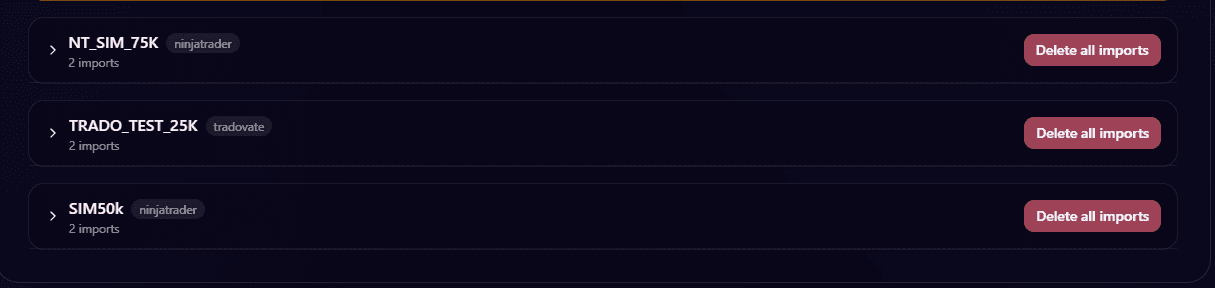
Deduplicates overlapping imports
Preserves your edits and notes across re-imports
Analytics
Computes analytics from raw fills
Media
Compresses screenshots to keep them fast and lightweight
FAQ
Common questions
Do I need to journal every day?
No, but consistency increases signal over time.
What if I forget to log a session?
Create it later. Trades will link retroactively by time window.
Do titles matter?
Not really. Time windows drive linking; titles are just labels.
Can I journal without importing trades?
Yes. Capture context and review without imports.
Workflow
Intended workflow
Understand what to do first. Let EdgeGhost do the rest.
Step 1
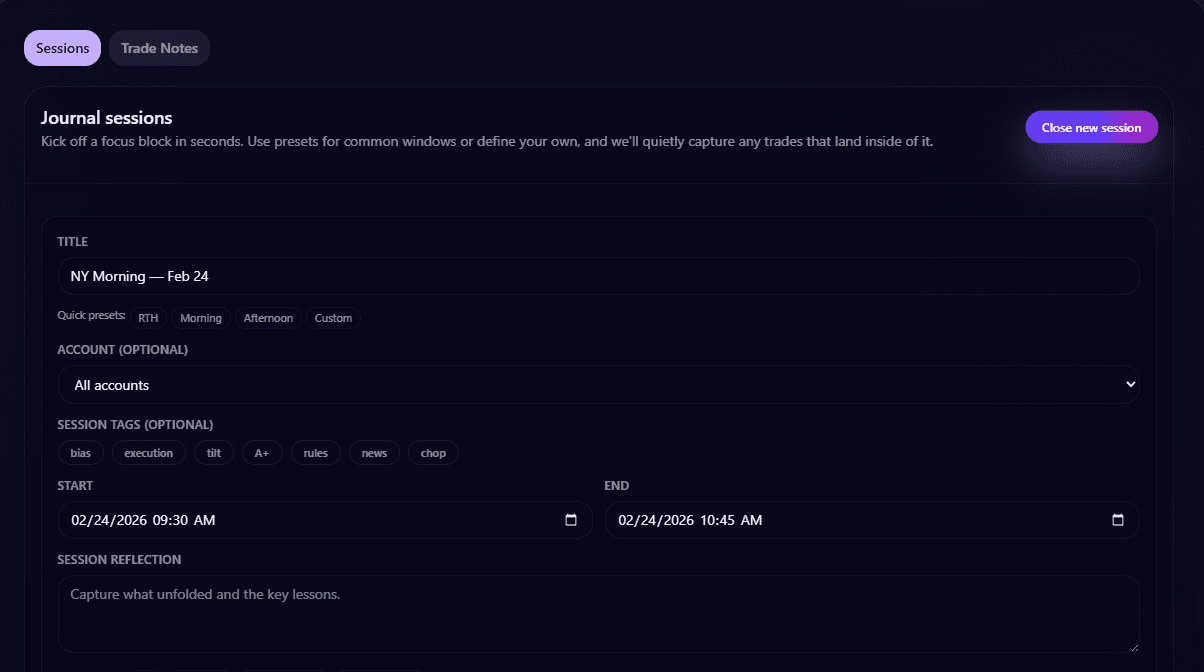
Create a session (before you trade)
Outcome: your context is captured while it’s fresh.
- Set a time window (this drives linking)
- Write bias and expectations
- Capture context, emotion, and risk behavior
- Add screenshots if they help
Note: Titles are just labels. Trades can be imported later.
Create Session
Step 2
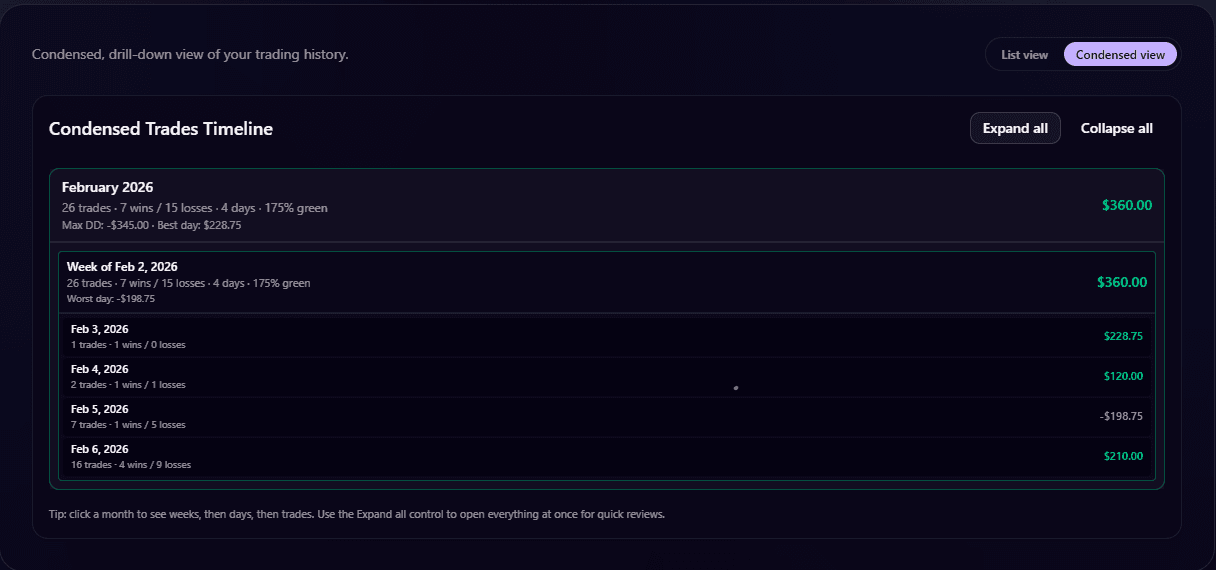
Trade normally
Outcome: no friction during execution.
- Use NinjaTrader, Tradovate, or another supported broker
- No journaling mid-trade
- No trade-by-trade notes required
Trades
Step 3
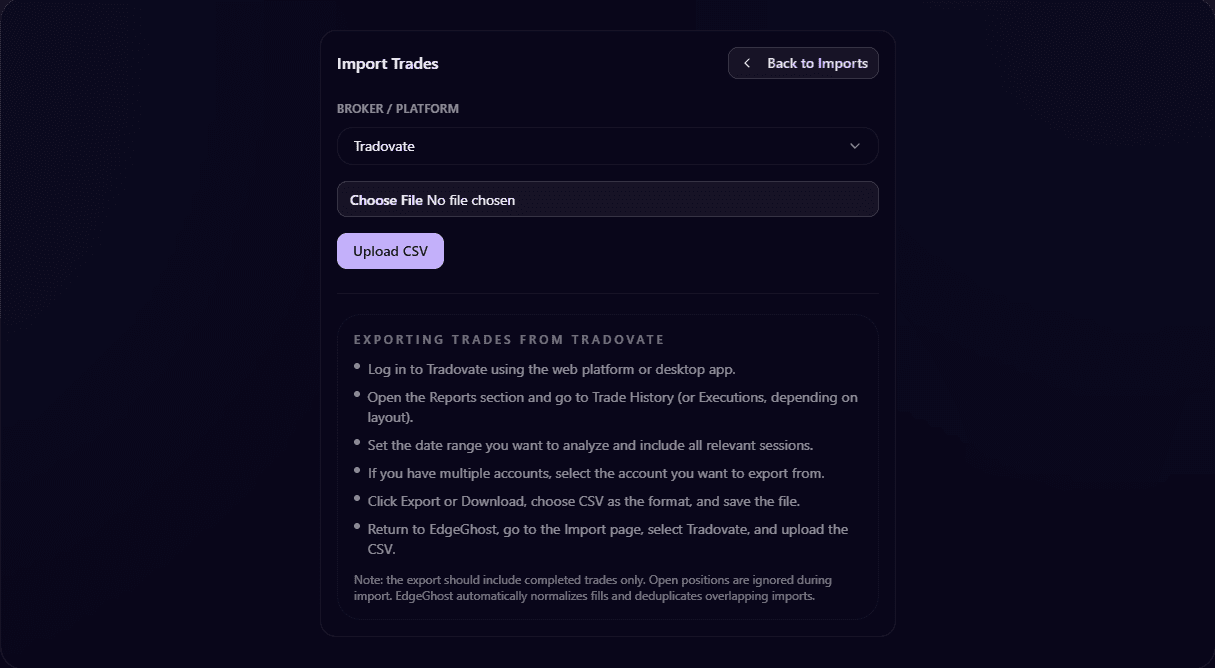
Import trades (when you want)
Outcome: data connects automatically without duplicates.
- Import daily, weekly, or whenever you want
- Trades link to sessions by time window (and account/instrument when set)
- No duplicates, and your edits are preserved
Import Trades
Step 4
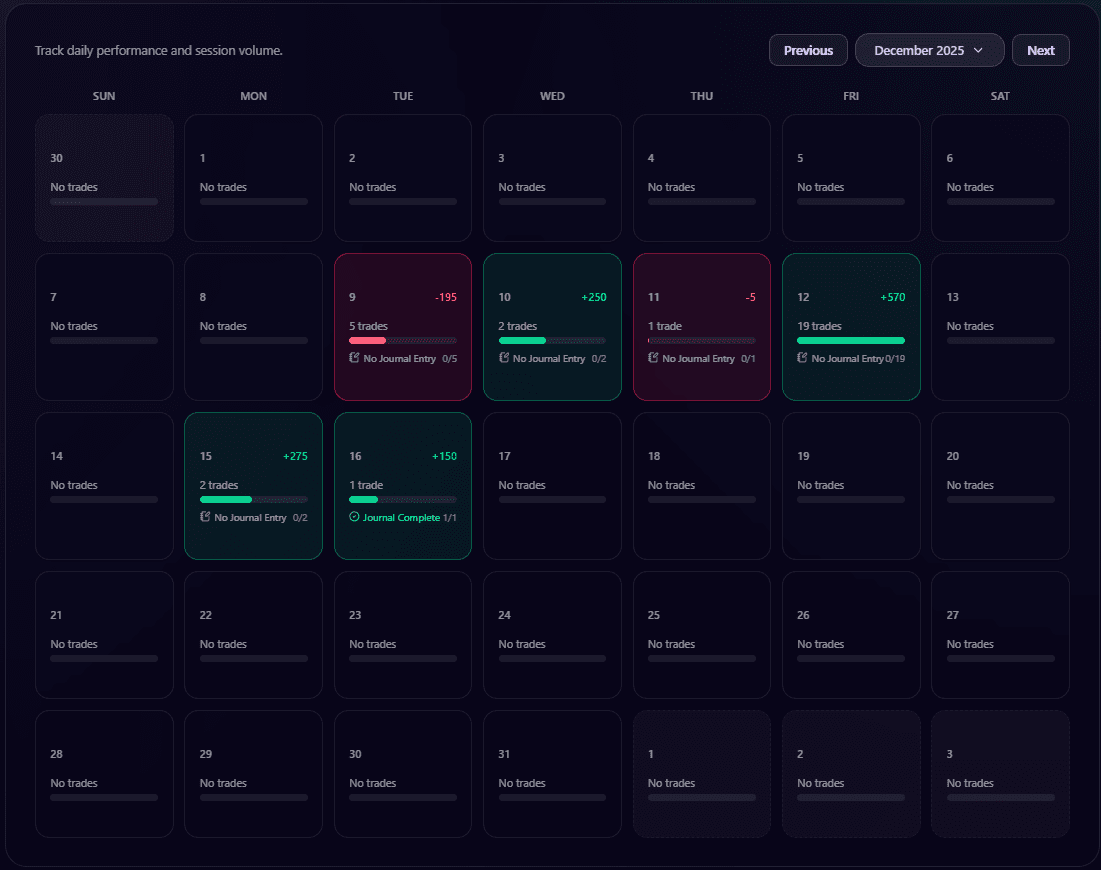
Review the session
Outcome: insight and iteration.
Linked trades
Session analytics
Screenshots and notes
Optional trade notes
This is where insight happens.
Calendar
Advanced
Multi-account + global views
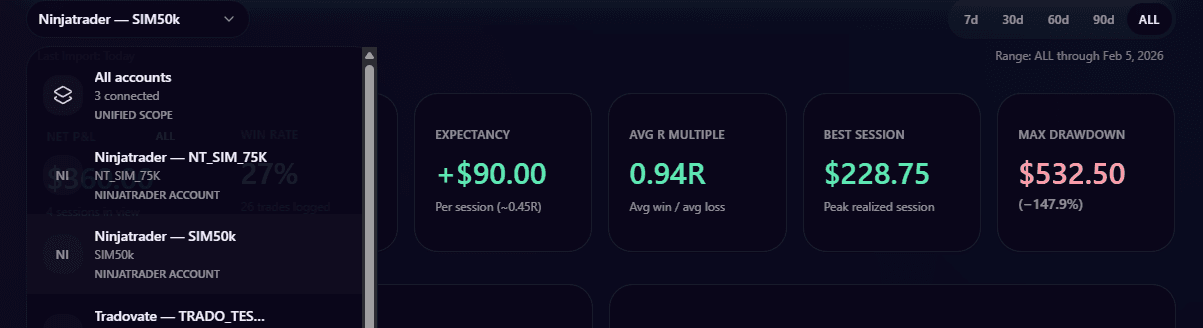
EdgeGhost supports multiple accounts (prop and personal) plus an "All Accounts" view. Your account selection stays consistent across dashboard, journal, calendar, and trades.
- Account-specific sessions
- Global sessions for shared context
- Unified view across accounts
All Accounts
Fastest path to value
Create a session before you trade, import at the end of the day, then do a quick session review before the next open.
Free during open beta. Pricing expected at $20/month after beta.